1. Find the competitor in the Meta Ad Library
Open the Meta Ad Library, select your country and search the page name. Confirm the store domain in the destination rather than relying only on the advertiser name.
Our Facebook Ad Library guide explains the search filters. Here the objective is to analyse a competing store and offer.
2. Search the product to discover competing stores
Search the product name and the problem it addresses in the language of your target market. Repeat with relevant terms: one query will miss stores using different wording.
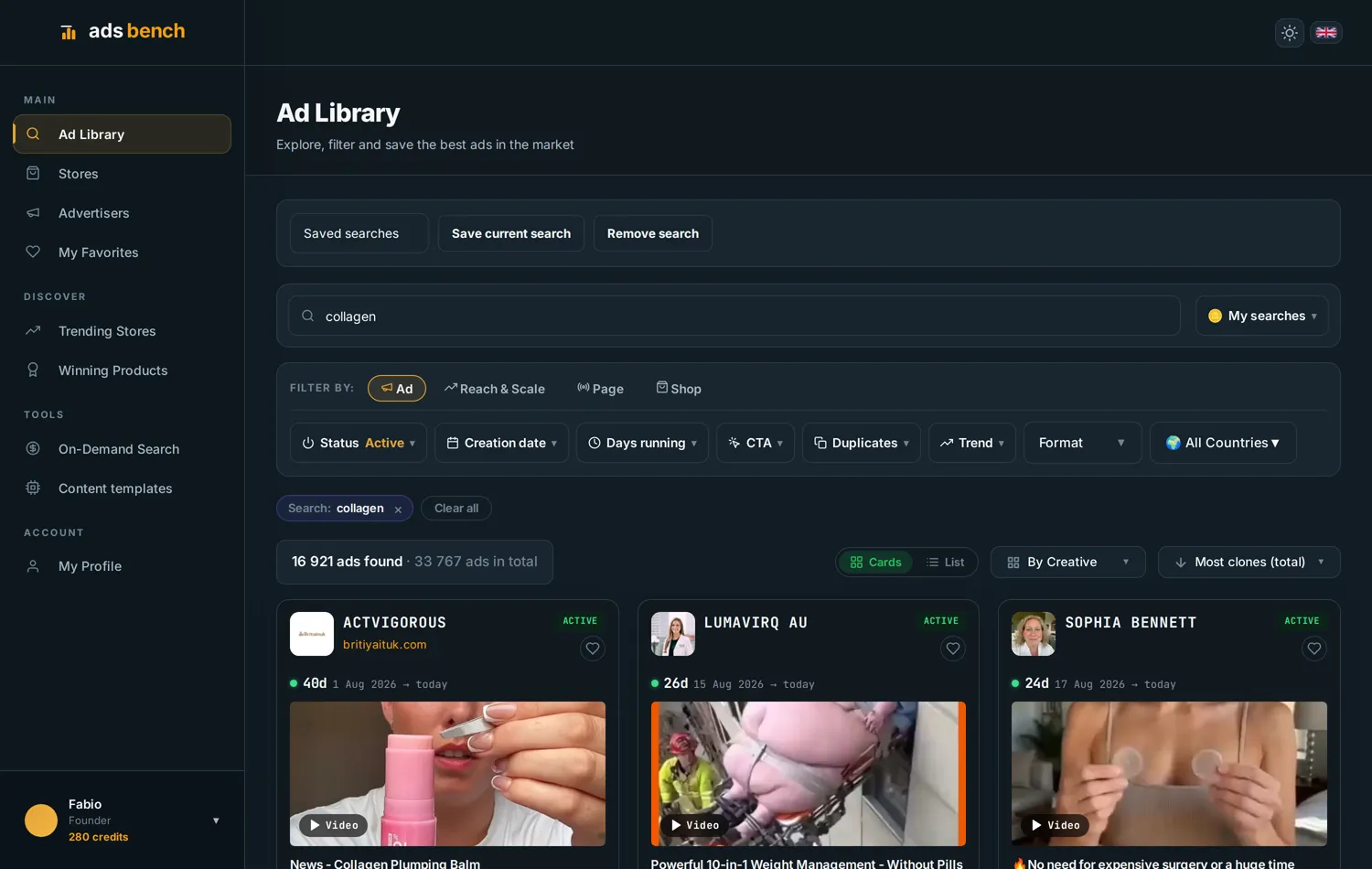
The historical Ads Bench screenshot uses “collagen” and groups results by creative. Sorting by copies surfaces frequently reused creatives, not the highest spenders. Open the destination and check whether the offer competes with yours.
3. Group advertiser pages by store domain
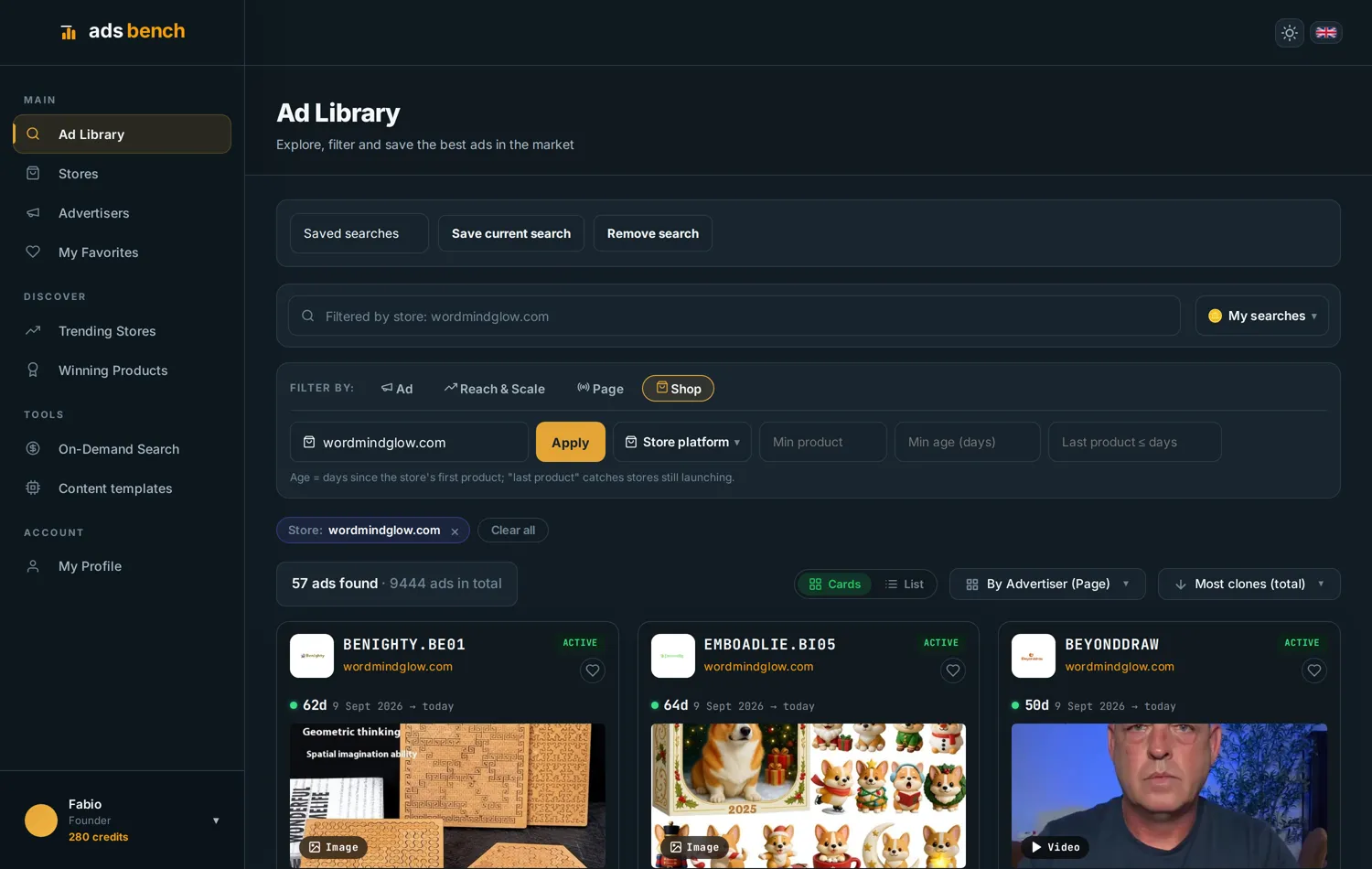
A store may advertise through several pages. Confirm the destination domain and keep uncertain associations separate. The historical screenshot shows 57 pages associated with wordmindglow.com: those are pages, not 57 independent competitors.
One page does not necessarily represent one fifty-seventh of the ads, spend or sales: distribution can be uneven. Domain grouping organises observed ads without establishing ownership or the reason for multiple pages.
4. Compare activity and offer changes
Record active ads, distinct creatives, observation dates and destinations. Keep the country and period consistent when repeating the comparison. An increase can reflect tests, seasonality or distribution changes.
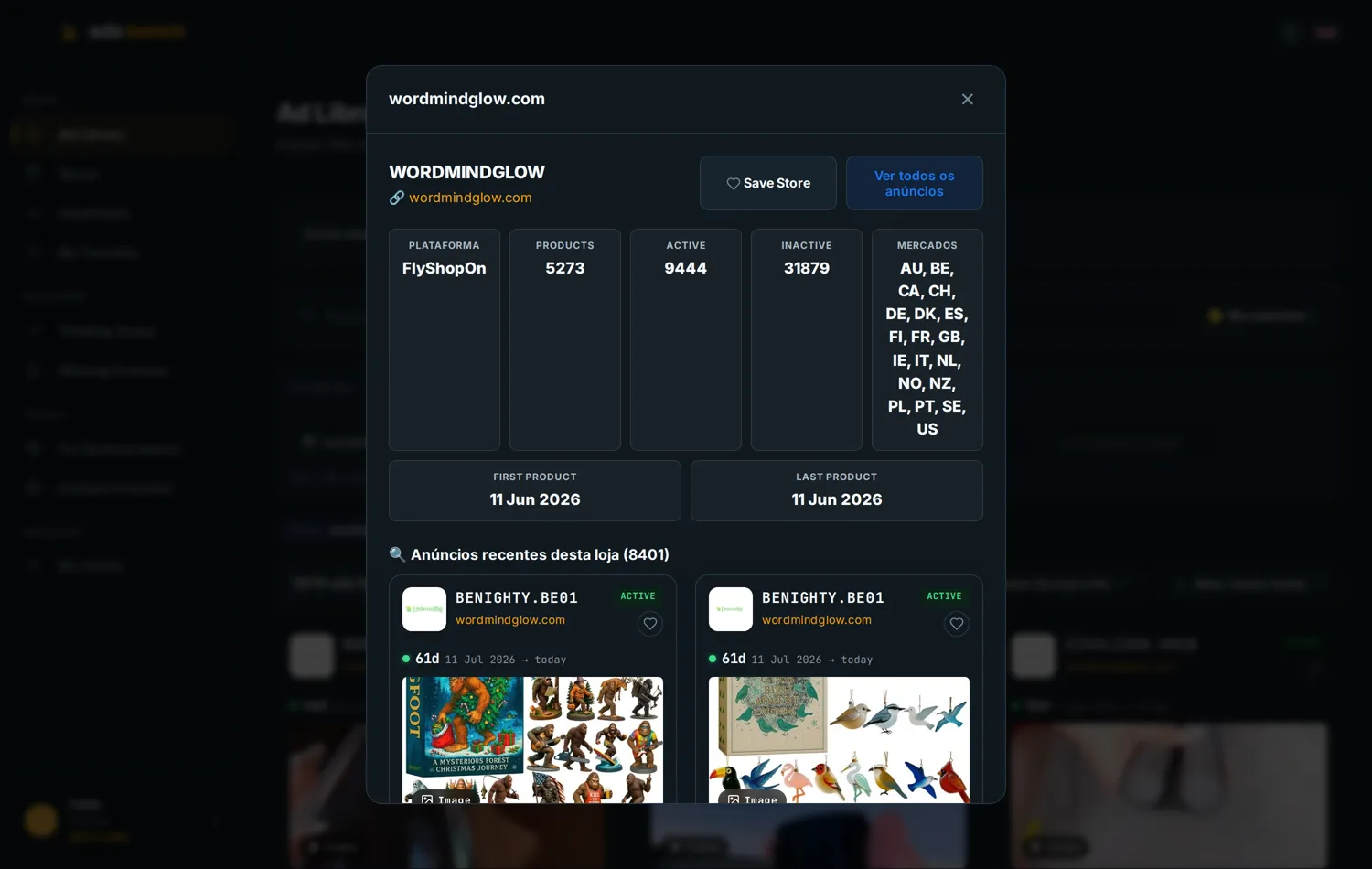
The saved screenshot shows 9,444 active and 31,879 inactive ads. A store with thousands of live ads is spending heavily, and that is hard to sustain without sales. Catalogue dates can reflect imports or migrations rather than the store’s launch.
For a consistent count, see how to count a store’s ads. For the message itself, compare hooks, demonstrations and offers.
5. Follow the landing page and compare the offer
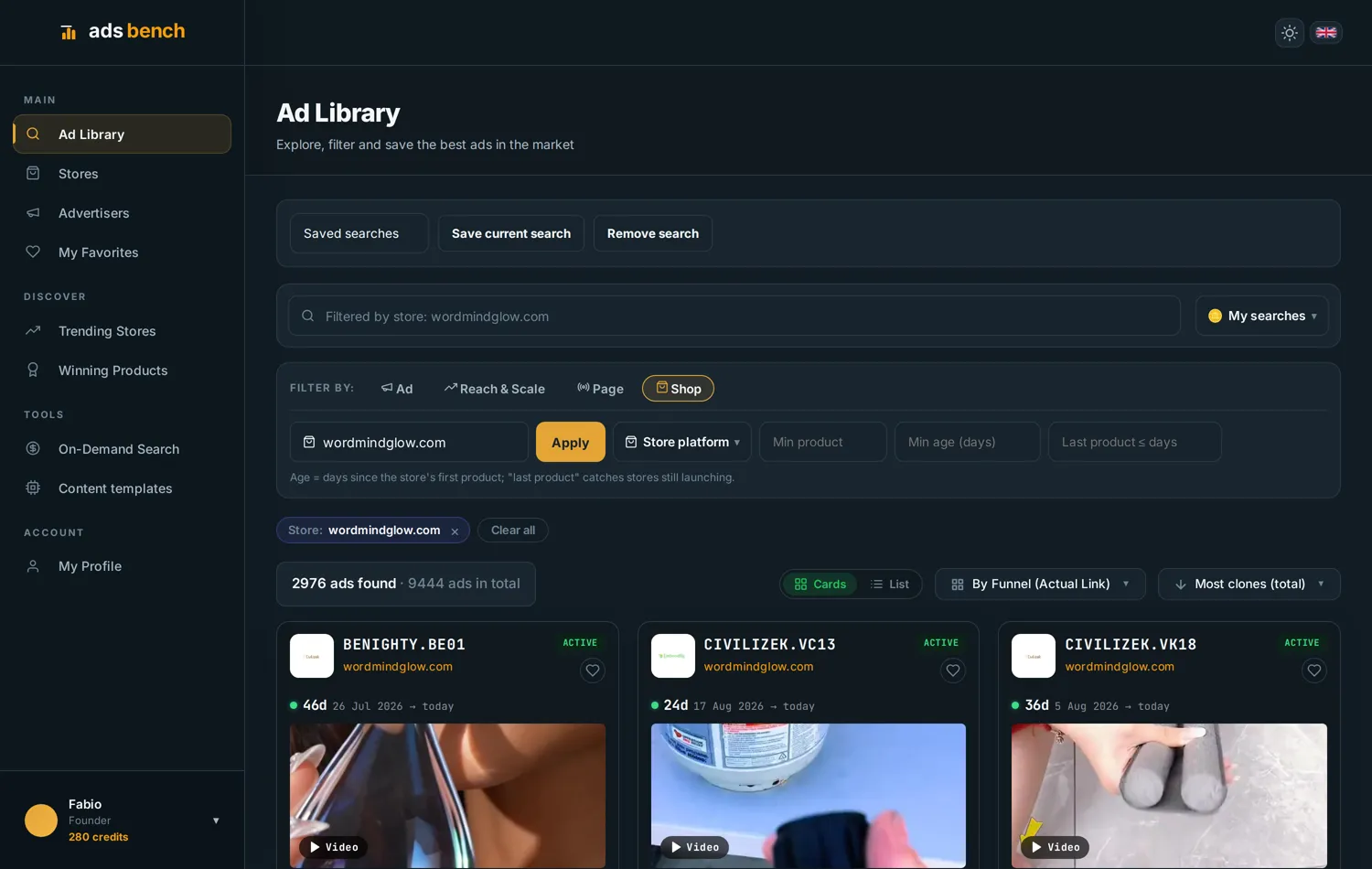
Record the variant, price, bundle, delivery promise and next step after clicking. Several ads pointing to one page identify a shared destination, not a validated sales funnel.
Find a difference you can deliver: a clearer demonstration, a useful bundle or a verified delivery service. Create your own materials and check supplier quality before committing.
6. Read reach in the correct market
Where transparency data is available, check its country, date range and definition. Reach describes exposure; it does not identify buyers or the complete targeting settings.
Do not assume audiences match across countries or add ad reach as if everyone were unique. Availability varies with geography and category; check the official library documentation.
Turn competitor research into a product test
Build a short list of comparable stores, record their offers and choose one hypothesis for your next creative. If many stores sell similar items, check product saturation.
Continue with dropshipping product research to compare candidates and suppliers. Public ad data cannot establish a competitor’s orders, acquisition cost or ROAS.
Competitor ad research FAQs
Can I see Instagram ads? Yes. Use the available platform filters.
Do inactive ads disappear? Availability depends on category, country and archive coverage. Check those settings before assuming an ad cannot be found.
Does a long-running ad prove sales? It is the best public sign there is: few stores keep an ad live for weeks unless it is selling. Use duration and reuse to decide which competitors to study first.
Historical Ads Bench screenshots published with the original guide on 10 September 2026. Counts are observations from those captures, not current figures or sales results. Editorial review: 21 September 2026.