1. Open the official library and select a market
Visit the Meta Ad Library. Select a country and the relevant category; for commercial product research, start with "All ads". Public browsing is free, although some features may require authentication.
Country selection affects the results. Start with the market you plan to serve and compare other countries only when local offers are relevant.
2. Search by advertiser or keyword
Search an advertiser name when you already know the competitor. Check the page identity and destination domain so you do not confuse businesses with similar names.
To discover stores, try categories, product names and phrases used in ad copy. Apply available filters such as platform, language or format, and relax them if results are too narrow. Options can vary by category and market.
3. Record the ad, offer and observation date
Open the details and record the ad ID, page, creative, copy, destination and available dates. Visit the offer to compare its price, terms and product presentation.
A screenshot is an observation, not a performance history. Note the date of your research and revisit the same selection later. For businesses using several pages, follow our guide to counting a store’s ads.
What the library cannot tell you about sales
For ordinary commercial ads, you cannot see the store’s orders, conversion rate, acquisition cost or ROAS. What you can see is how the ad behaves: an ad that stays live for weeks, and that the store keeps duplicating, is the best public sign that it is profitable.
Data availability and inactive-ad retention depend on the market and category. It is inaccurate to say every ad disappears when it stops: Meta also provides certain archives. Check the official library documentation for current coverage.
How to extend the analysis in Ads Bench
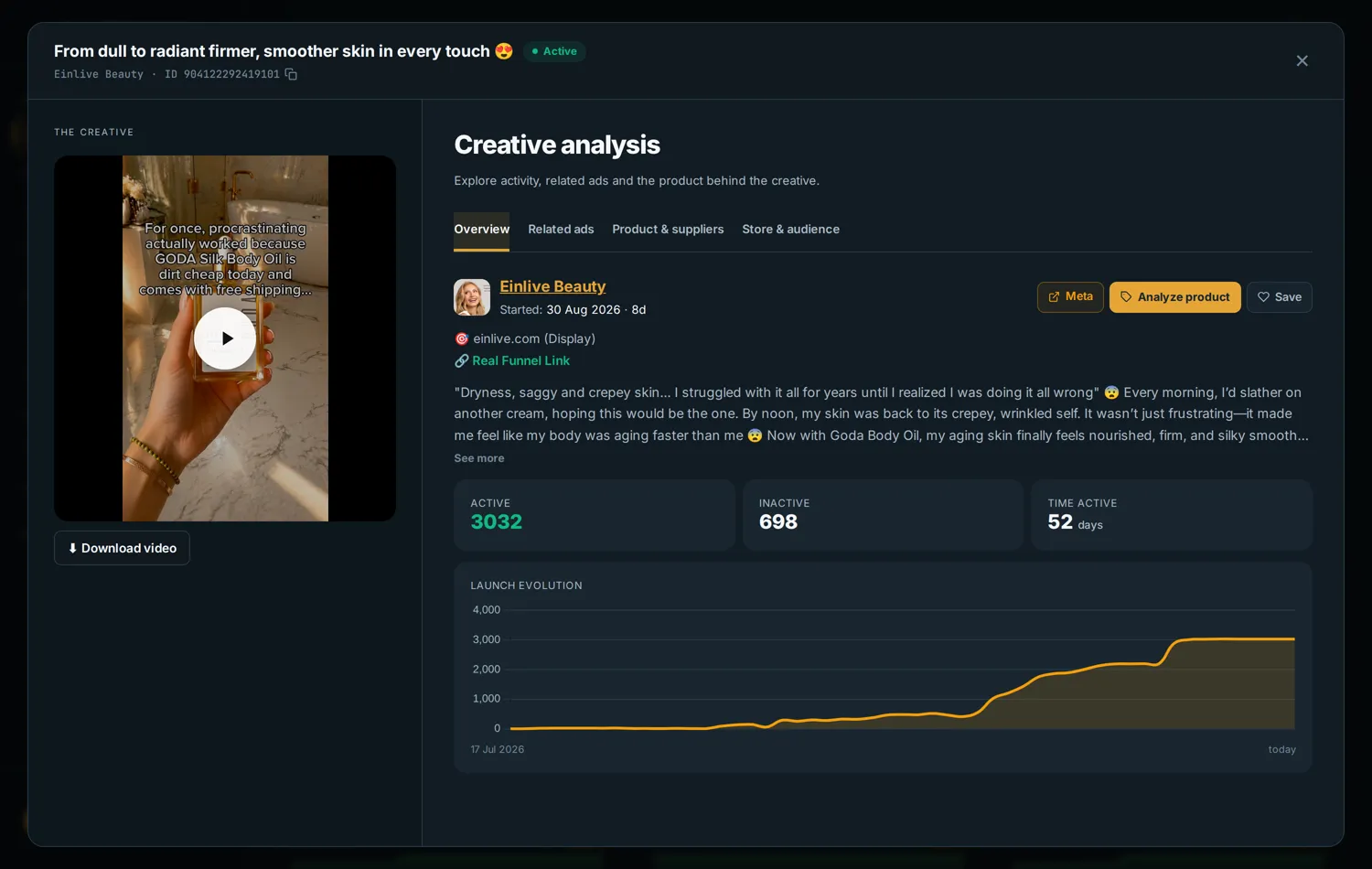
The screenshots below show Ads Bench, not Meta’s official interface. Creative grouping helps compare reuse of an image or video, while filters narrow the sample.
In the captured example, one creative has 3,032 associated active ads and 52 days running. These are not 3,032 independent budgets, but a store rarely keeps and duplicates a creative for 52 days unless it is selling.
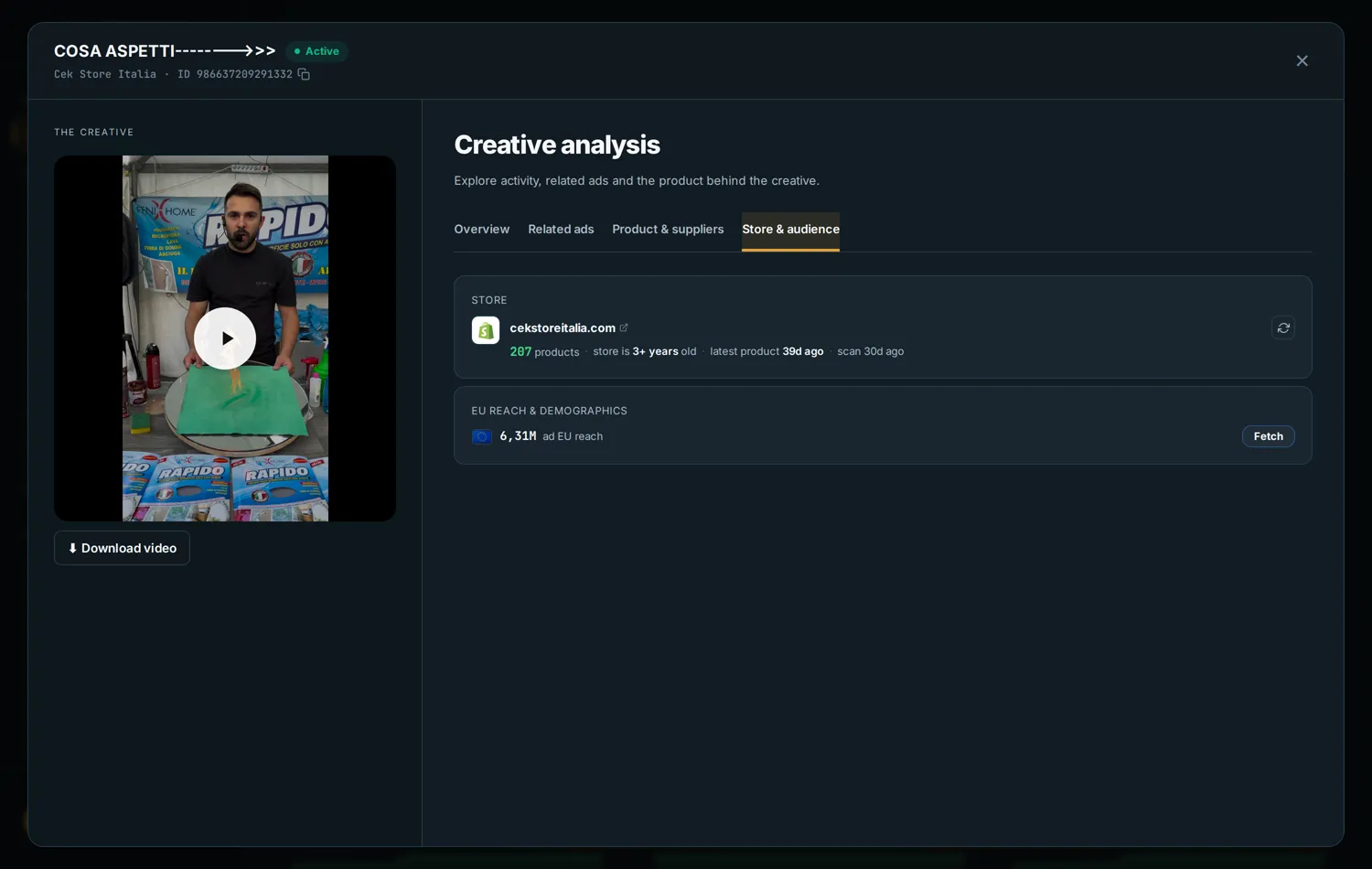
Reach: exposure is not a purchase
Where transparency data is available, reach adds context about an ad’s distribution. Compare the country, period and metric definition before comparing figures.
Reach is neither revenue nor budget. Do not add reach across ads and treat the total as unique people: the same person may have seen several ads.
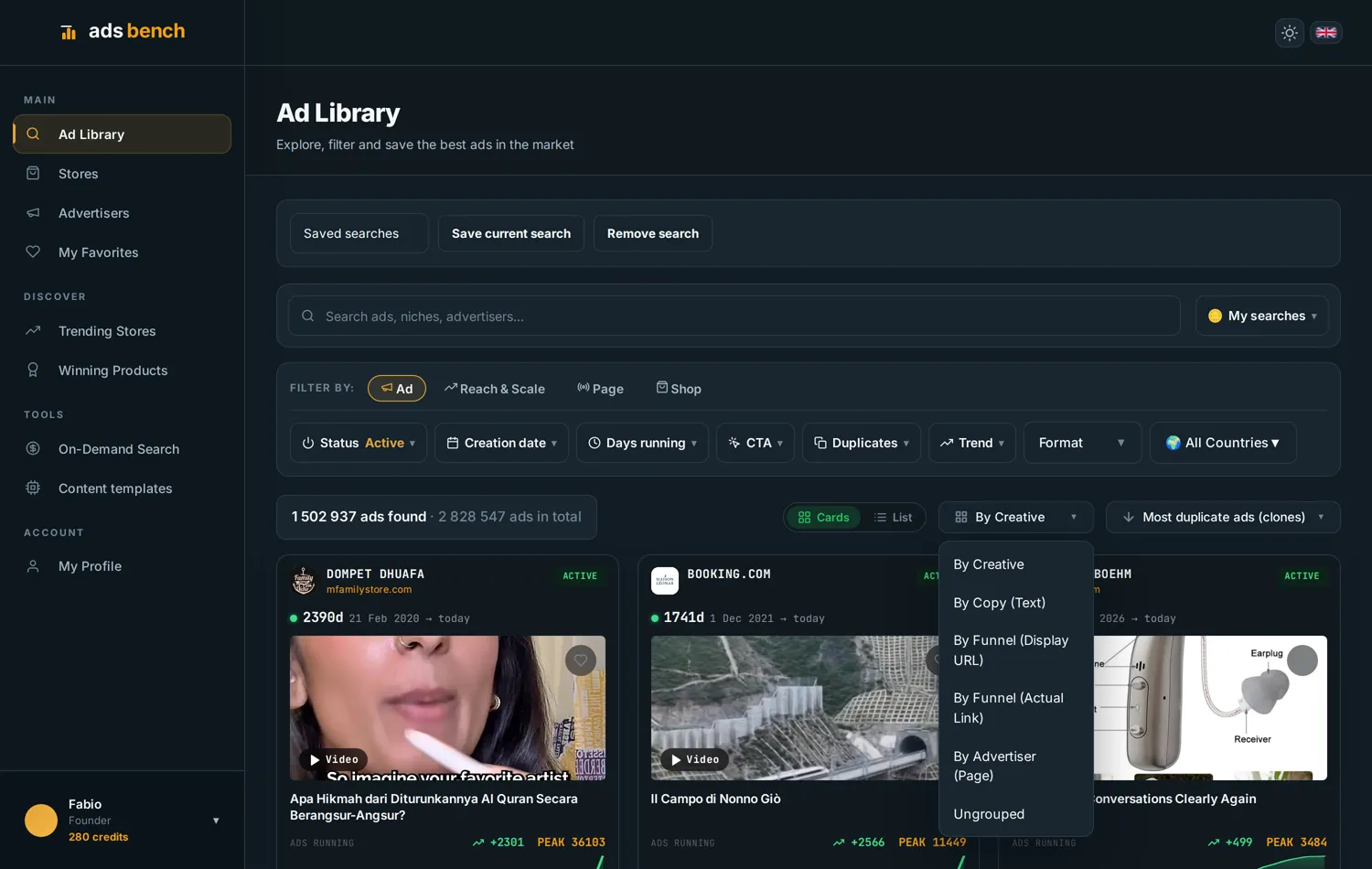
Group results around your research question
Grouping by creative compares reused images or videos. Grouping by copy reveals recurring messages. Grouping by destination brings together ads pointing to a page, while advertiser grouping focuses on a specific page’s activity.
These views organise research within the tool’s coverage. To turn your research into a product decision, follow the product research guide and verify costs and suppliers before testing.
Exercise: compare three ads in the same category
Choose one country and a specific need, such as organising a small kitchen. Save three relevant ads and their destination URLs.
For each ad, write down the promise, the demonstration and the offer on the store page. Check the domains: three advertiser pages can lead to the same store.
The screenshots in this guide show how to search and group creatives in Ads Bench. Use the store ad-count guide to separate copies, creatives and competitors. The outcome is a comparison of messages and offers, not a sales estimate.
Ad Library FAQs
Can I find Instagram ads? Yes. The library includes Instagram advertising. Use the available platform filter to narrow your search.
Why can’t I find an ad? Check the country, page, category and filters. The ad may be inactive or outside the search coverage; absence does not prove that a business has stopped advertising.
Does the library show the best-selling ads? No. It exposes advertising and available transparency data, not a ranking based on advertisers’ private sales results.
Examples: Ads Bench screenshots from 7-8 September 2026. Figures illustrate the interface and may change; coverage does not represent the whole market.