How do you find a product supplier from an image?
Start with a clear product photo, search for visually similar listings and compare each result’s specifications. Image search helps you find candidates when retailers use different names for the same type of product. It does not establish who manufactured it or which supplier a competitor uses.
This guide takes you from an ad to supplier results in Ads Bench. The aim is a comparison you can check: product, variant, quantity, delivery and price on equivalent terms.
1. Choose a clear product image
Use a catalogue photo showing the whole object with little background clutter. For a video, choose a frame that shows its shape, material and accessories. A collage can return matches for the wrong object.
Save the product page address and advertised specifications too. The same photograph may appear on a smaller version, a bundle or an accessory listing. You need those details to compare offers.
2. Open the product in Ads Bench
In the library, open an ad and look for Analyze product or the Product & suppliers tab. The analysis connects the ad to its destination page and looks for details such as title, images and price where available.
You can also start from Winning products and open a product’s details. The screenshots in this guide show the store’s offer alongside supplier results. If access is locked, check the displayed credit cost before unlocking. Availability depends on collected data and account access.
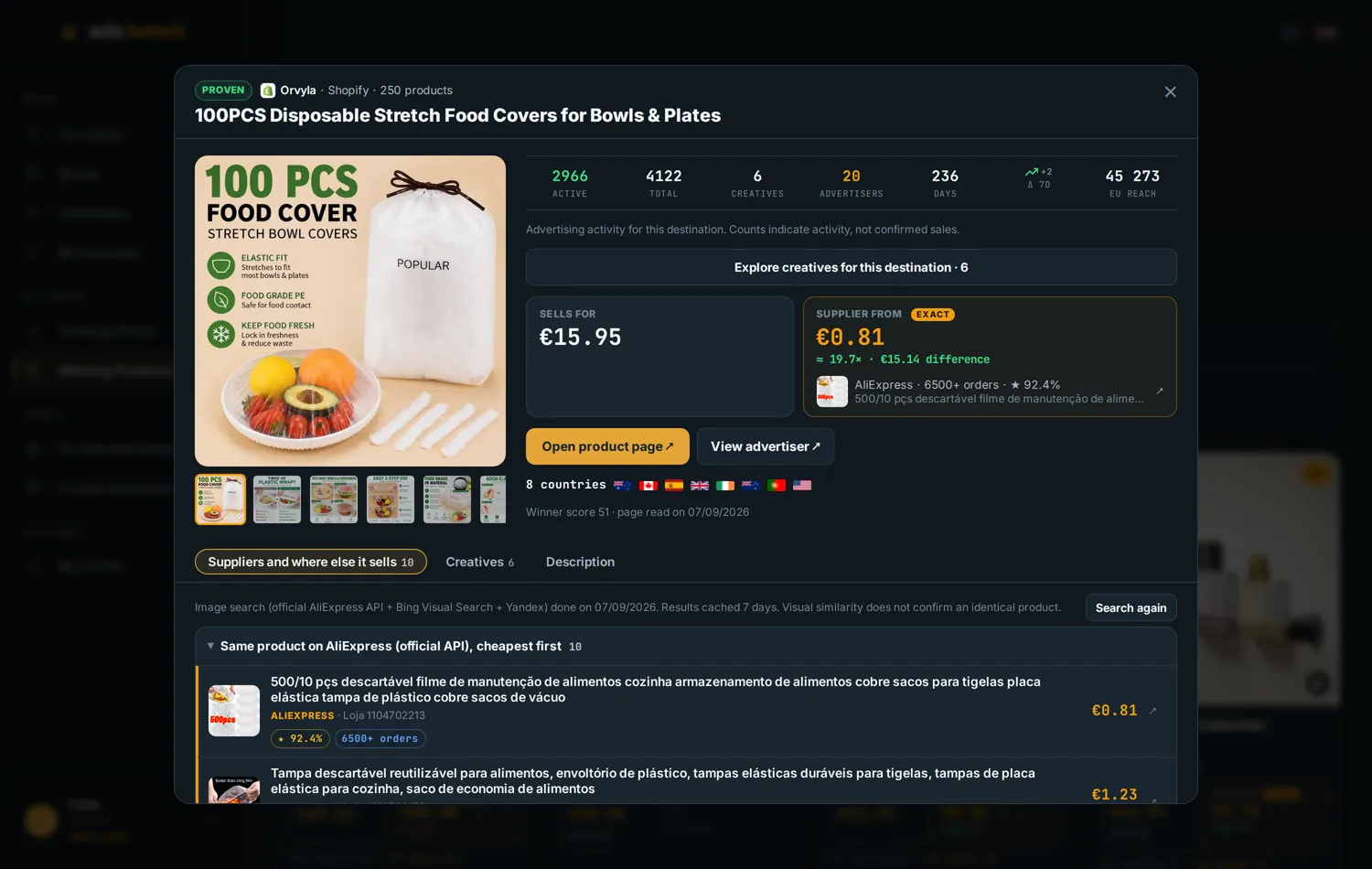
3. Compare suppliers, marketplaces and other stores
Results are separated by type. Start with suppliers and open the original listing to confirm what is included. Other stores help you research competing offers, but their retail prices should not be treated as your sourcing cost.
Visual similarity is a clue. Check dimensions, material, piece count, packaging and variant. Even a result labelled as the same product needs checking: the starting price may refer to another option.
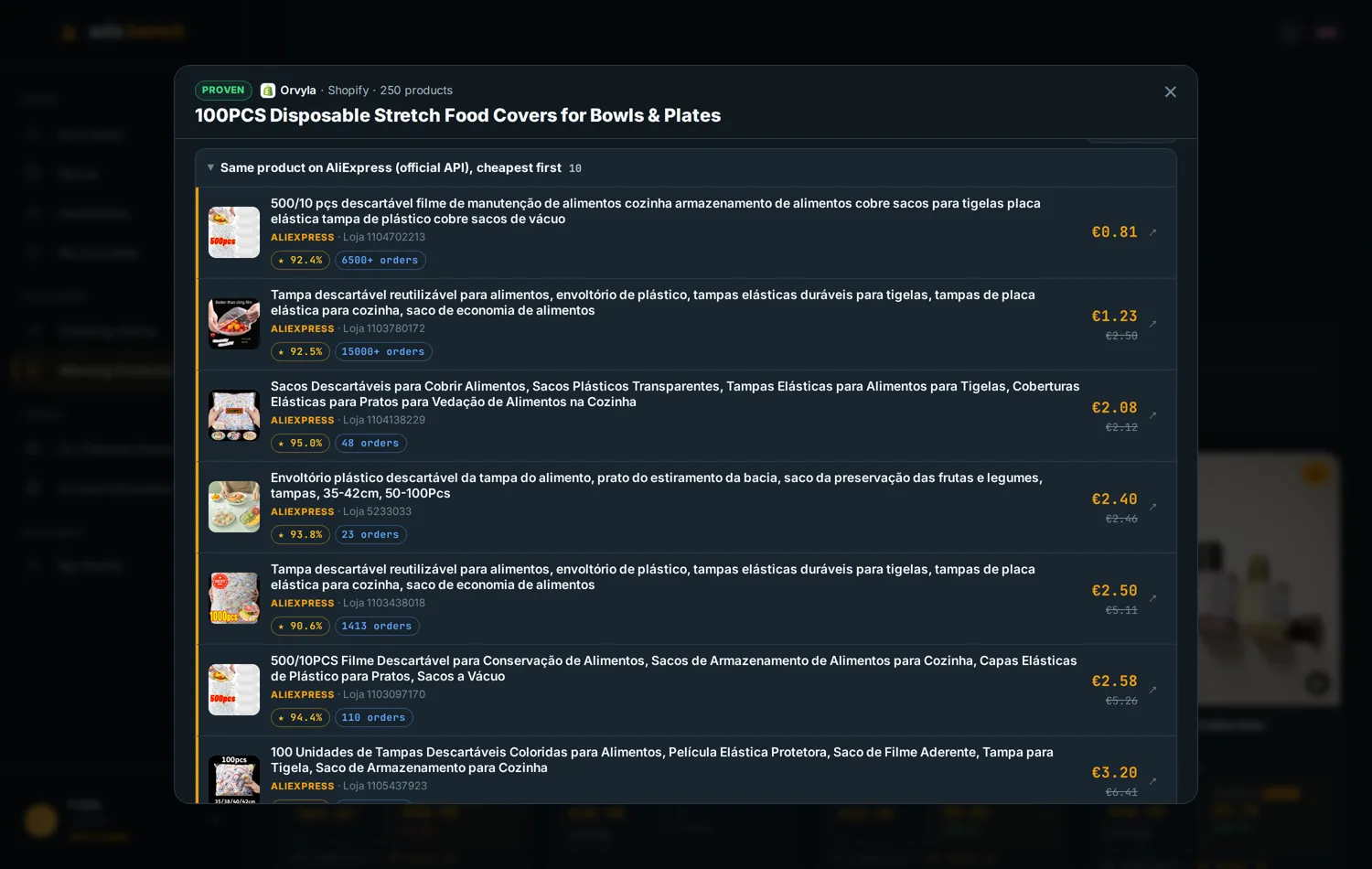
4. A price gap is not a profit margin
The example screenshot shows a retail price of €15.95 and a supplier offer at €0.81. Subtracting them gives €15.14, which is only the difference between the displayed prices. First check that both offers cover the same quantity, currency and conditions.
Your calculation needs product cost, shipping, applicable charges, payment fees, fulfilment, returns and customer acquisition. A low item price can become unattractive once shipping or defects are considered. Screenshot prices are historical examples, not current quotations.
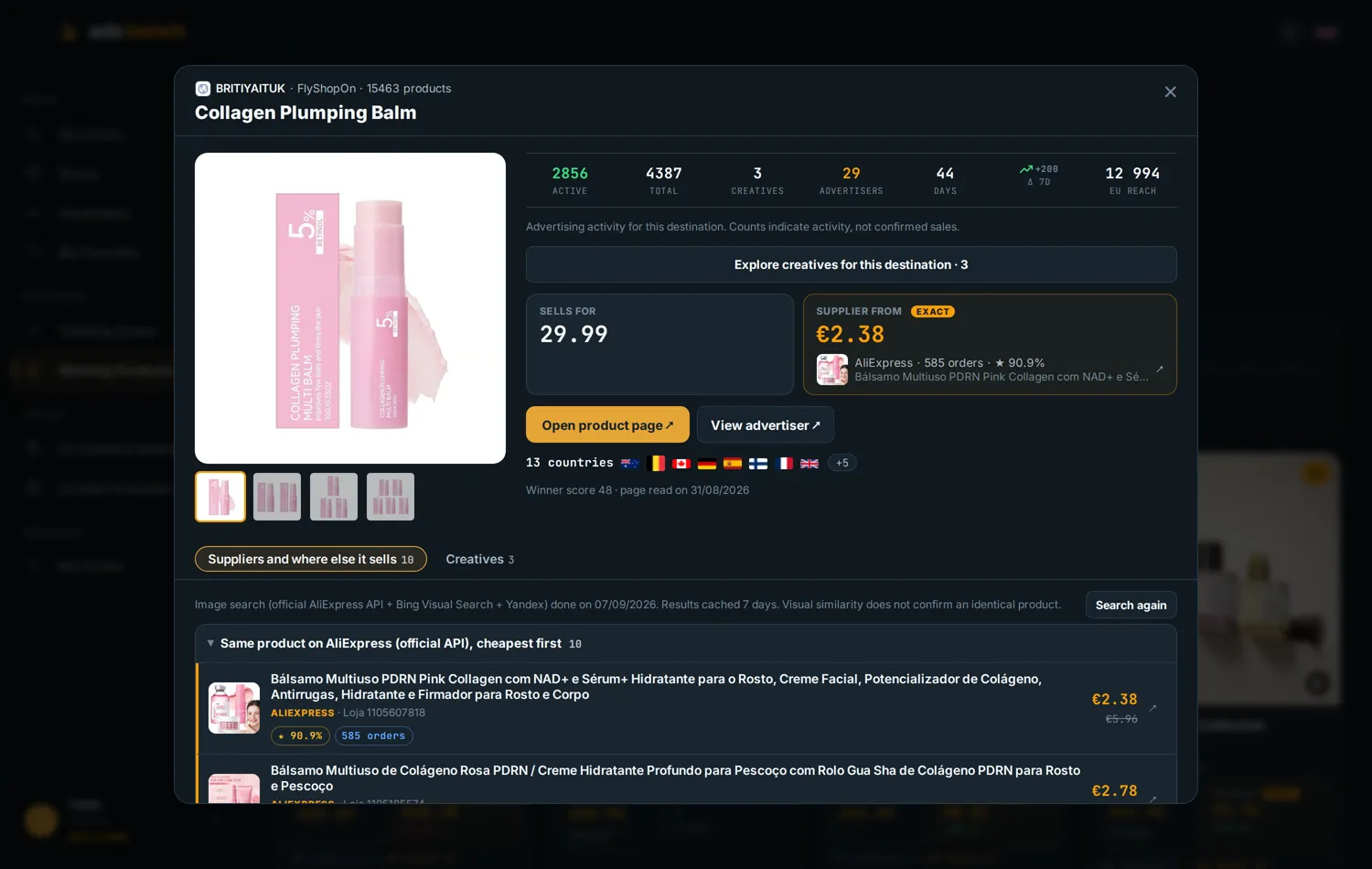
5. Validate the offer before choosing a supplier
Shortlist two or three candidates. Compare recent product reviews, variant details, handling time and delivery to your target country. Order counts provide context but do not guarantee quality or the ability to fulfil new orders.
Confirm the specifications and order a sample before increasing volume. Inspect the item, packaging and actual delivery time. Save the listing and quotation date so you can revisit the conditions you compared.
How to search by image outside Ads Bench
Google Lens is another starting point: upload a photograph or paste its image address into Google’s image search. Results may include similar images and pages using them. See Google’s official instructions.
For an AliExpress supplier search by image, treat matches as leads and verify the offer on the marketplace. Adding a description of the material or function can narrow the search. If results are unhelpful, try a different photograph of the object.
Frequently asked questions about image-based sourcing
Does an identical photo identify the manufacturer? No. Distributors, resellers and stores may share photographs. The image does not establish a store’s relationship with a supplier.
Should I choose the cheapest supplier? Compare the delivered cost of the same variant, sample quality and seller terms. Price alone is insufficient.
What if I have not chosen a product? Start with the product research guide. To investigate competitors, read how to assess dropshipping signals in a store.
Examples: Ads Bench screenshots from 7-8 September 2026. Figures illustrate the interface and may change; coverage does not represent the whole market.